PLEASE NOTE: Every effort has been made to ensure the accuracy of all information contained herein. IT Help and Support Centre Ltd makes no warranty expressed or implied with respect to accuracy of this information, including price, product editorials or product specifications. IT Help and Support Centre Ltd or its suppliers shall not be liable for incidental, consequential or special damages arising from, or as a result of, any electronic transmission or the accuracy of the information contained herin, even if IT Help and Support Centre Ltd has been advised of the possibility of such damages. Product and manufacturer names are used only for the purpose of identification.
AIR-AP3802EZK9C-RF
AIR-AP3802EZK9C-RF
AIR-AP3802EZK9C-RF End of Support Date (EOS):
AIR-AP3802E-Z-K9C
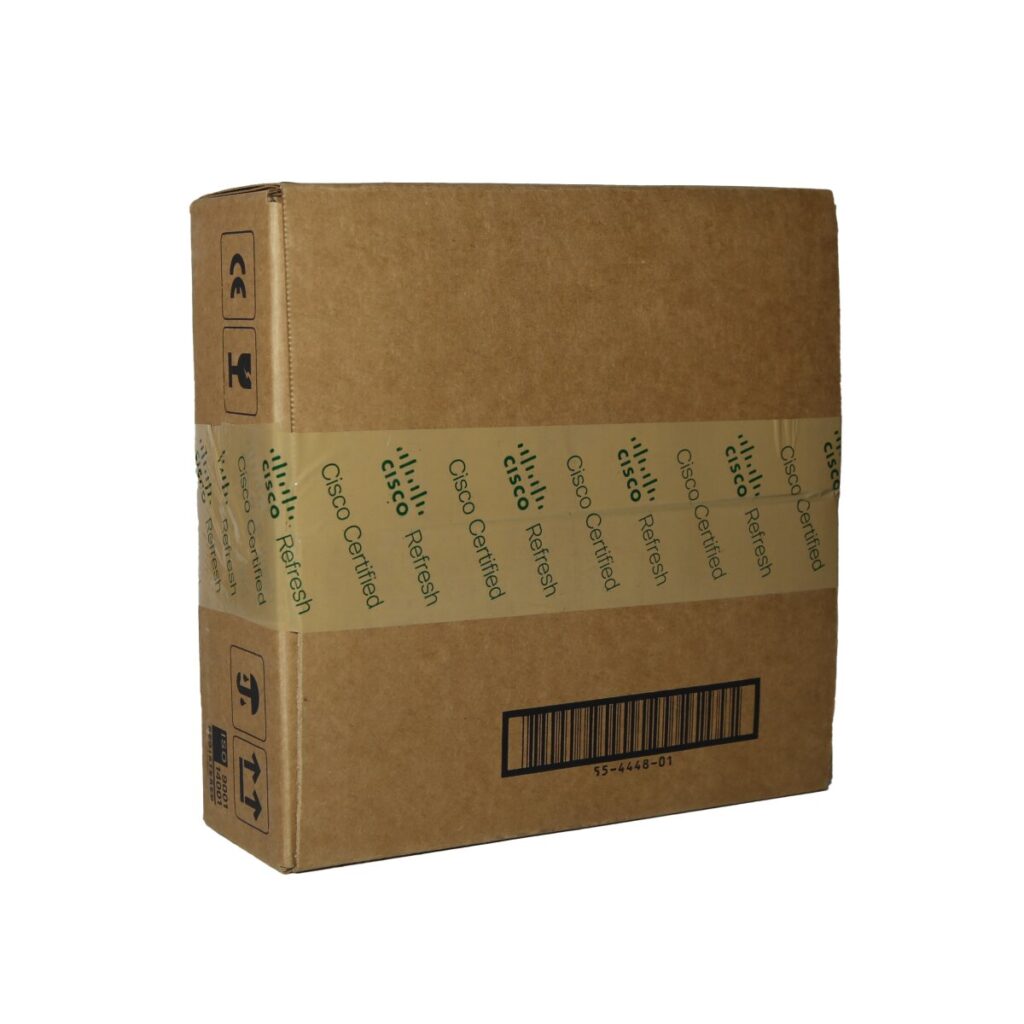
- Cisco Approved Refurbished Equipment
- Standard Cisco Warranty
- Includes Cisco Right to Use License
- Official Cisco Relicensed Hardware
- Smart Net Approved and Eligible
- Valid IOS Loaded
AIR-AP3802EZK9C-RF Cisco Support
CON-SW-AIRP38E2
$136.17
Annual Contract - Support for AIR-AP3802EZK9C-RF - Cisco SMARTnet - Software Support and Updates - Software Support Major and Minor Updates - 24 x 7 access to Cisco Technical Centre (TAC) - Extended Access to Cisco.com
- Provides major and maintenance releases of Cisco IOS software, 24 x 7 access to TAC.
- One Hour Response Time
- 24 hours, 365 days
- No Hardware Replacement
- No Onsite Engineer
- Most equipment can be covered
CON-SNT-AIRP38E2
$162.37
Annual Contract - Support for AIR-AP3802EZK9C-RF - Cisco SMARTnet - No Engineer - Fault reporting 8 Hours a day, 5 days a week - Hardware replaced by Next Business Day - Software Support Major and Minor Updates - 24 x 7 access to Cisco Technical Centre (TAC) - Extended Access to Cisco.com
- Cisco Smart Net SNT 8x5xNBD
- Provides major and maintenance releases of Cisco IOS software, access to TAC, and, subject to fault identification by Cisco, replacement hardware delivered by the next business day.
- One Hour Response Time
- Next Business Day NBD
- 8 hours a day, 5 days a week
- NBD Hardware Replacement
- No Onsite Engineer
- Extended access to cisco.com
- Most equipment can be covered
CON-SNTE-AIRP38E2
Annual Contract - Support for AIR-AP3802EZK9C-RF - Cisco SMARTnet - No Engineer - Fault reporting 8 Hours a day, 5 days a week - Hardware replaced within 4 hours from fault diagnosis - Software Support Major and Minor Updates - 24 x 7 access to Cisco Technical Centre (TAC) - Extended Access to Cisco.com
- Cisco Smart Net SNTE 8x5x4
- Provides major and maintenance releases of Cisco IOS software, access to TAC, and, subject to fault identification by Cisco, replacement hardware delivered within 4 working hours.
- One Hour Response Time
- 8 hours a day, 5 days a week
- 4 Working Hours Hardware Replacement
- No Onsite Engineer
- Extended access to cisco.com
- Most equipment can be covered
CON-SNTP-AIRP38E2
Annual Contract - Support for AIR-AP3802EZK9C-RF - Cisco SMARTnet - No Engineer - Fault reporting 24 Hours a day, 7 days a week - Hardware replaced within 4 hours from fault diagnosis - Software Support Major and Minor Updates - 24 x 7 access to Cisco Technical Centre (TAC) - Extended Access to Cisco.com
- Cisco Smart Net SNTP 24x7x4
- Provides major and maintenance releases of Cisco IOS software, access to TAC, and, subject to fault identification by Cisco, replacement hardware delivered within 4 hours.
- One Hour Response Time
- 24 hours a day, 7 days a week
- 4 Hours Hardware Replacement
- No Onsite Engineer
- Extended access to cisco.com
- Most equipment can be covered
CON-S2P-AIRP38E2
Annual Contract - Support for AIR-AP3802EZK9C-RF - Cisco SMARTnet - No Engineer - Fault reporting 24 Hours a day, 7 days a week - Hardware replaced within 2 hours from fault diagnosis - Software Support Major and Minor Updates - 24 x 7 access to Cisco Technical Centre (TAC) - Extended Access to Cisco.com
- Provides major and maintenance releases of Cisco IOS software, access to TAC, and, subject to fault identification by Cisco, replacement hardware delivered within 2 hours.
- One Hour Response Time
- 24 hours a day, 7 days a week
- 2 Hours Hardware Replacement
- No Onsite Engineer
- Extended access to cisco.com
- Most equipment can be covered
- SLA Not available at all locations
CON-OS-AIRP38E2
Annual Contract - Support for AIR-AP3802EZK9C-RF - Cisco SMARTnet - Engineer to install hardware - Fault reporting 8 Hours a day, 5 days a week - Software Support Major and Minor Updates - Hardware replaced by Next Business Day - 24 x 7 access to Cisco Technical Centre (TAC) - Extended Access to Cisco.com
- Provides major and maintenance releases of Cisco IOS software, access to TAC, and, subject to fault identification by Cisco, replacement hardware installed by an Engineer on the next business day.
- One Hour Response Time
- Next Business Day NBD
- 8 hours a day, 5 days a week
- NBD Hardware Replacement
- NBD Onsite Engineer
- Extended access to cisco.com
- Most equipment can be covered
CON-OSE-AIRP38E2
Annual Contract - Support for AIR-AP3802EZK9C-RF - Cisco SMARTnet - Engineer to install hardware - Fault reporting 8 Hours a day, 5 days a week - Software Support Major and Minor Updates - Hardware replaced within 4 hours from fault diagnosis - 24 x 7 access to Cisco Technical Centre (TAC) - Extended Access to Cisco.com
- Provides major and maintenance releases of Cisco IOS software, access to TAC, and, subject to fault identification by Cisco, replacement hardware and onsite Engineer within 4 working hours.
- One Hour Response Time
- 8 hours a day, 5 days a week
- 4 Working Hours Hardware Replacement
- 4 Working Hours Onsite Engineer
- Extended access to cisco.com
- Most equipment can be covered
CON-OSP-AIRP38E2
Annual Contract - Support for AIR-AP3802EZK9C-RF - Cisco SMARTnet - Engineer to install hardware - Fault reporting 24 Hours a day, 7 days a week - Software Support Major and Minor Updates - Hardware replaced within 4 hours from fault diagnosis - 24 x 7 access to Cisco Technical Centre (TAC) - Extended Access to Cisco.com
- Provides major and maintenance releases of Cisco IOS software, access to TAC, and, subject to fault identification by Cisco, replacement hardware and onsite Engineer within 4 hours.
- One Hour Response Time
- 24 hours a day, 7 days a week
- 4 Hours Hardware Replacement
- 4 Hours Onsite Engineer
- Extended access to cisco.com
- Most equipment can be covered
CON-PREM-AIRP38E2
Annual Contract - Support for AIR-AP3802EZK9C-RF - Cisco SMARTnet - Engineer to install hardware - Fault reporting 24 Hours a day, 7 days a week - Software Support Major and Minor Updates - Hardware replaced within 2 hours from fault diagnosis - 24 x 7 access to Cisco Technical Centre (TAC) - Extended Access to Cisco.com
- Provides major and maintenance releases of Cisco IOS software, access to TAC, and, subject to fault identification by Cisco, replacement hardware installed by an Engineer within 2 hours.
- One Hour Response Time
- 24 hours a day, 7 days a week
- 2 Hours Hardware Replacement
- 2 Hours Onsite Engineer
- Extended access to cisco.com
- Most equipment can be covered
- SLA Not available at all locations
CON-SSSNT-AIRP38E2
$150.18
Annual Contract - Support for AIR-AP3802EZK9C-RF - Cisco Solution Support - No Engineer - Fault reporting 8 Hours a day, 5 days a week - Hardware replaced by Next Business Day - Software Support Major and Minor Updates - 24 x 7 access to Cisco Technical Centre (TAC) - Extended Access to Cisco.com
- Cisco Smart Net Soln Supp SSSNT 8x5xNBD
- Cisco Solution Support Provides major and maintenance releases of Cisco IOS software, access to TAC, and, subject to fault identification by Cisco, replacement hardware delivered by the next business day.
- One Hour Response Time
- Next Business Day NBD
- 8 hours a day, 5 days a week
- NBD Hardware Replacement
- No Onsite Engineer
- Extended access to cisco.com
- Includes Support for other vendor software
- Most equipment can be covered
CON-SSSNE-AIRP38E2
Annual Contract - Support for AIR-AP3802EZK9C-RF - Cisco SMARTnet Solution Support - No Engineer - Fault reporting 8 Hours a day, 5 days a week - Hardware replaced within 4 hours from fault diagnosis - Software Support Major and Minor Updates - 24 x 7 access to Cisco Technical Centre (TAC) - Extended Access to Cisco.com
- Cisco Smart Net Solution Support Provides major and maintenance releases of Cisco IOS software, access to TAC, and, subject to fault identification by Cisco, replacement hardware delivered within 4 working hours.
- One Hour Response Time
- 8 hours a day, 5 days a week
- 4 Working Hours Hardware Replacement
- No Onsite Engineer
- Extended access to cisco.com
- Includes Support for other vendor software
- Most equipment can be covered
CON-SSSNP-AIRP38E2
Annual Contract - Support for AIR-AP3802EZK9C-RF - Cisco SMARTnet Solution Support - No Engineer - Fault reporting 24 Hours a day, 7 days a week - Hardware replaced within 4 hours from fault diagnosis - Software Support Major and Minor Updates - 24 x 7 access to Cisco Technical Centre (TAC) - Extended Access to Cisco.com
- Cisco Smart Net Solution Support Provides major and maintenance releases of Cisco IOS software, access to TAC, and, subject to fault identification by Cisco, replacement hardware delivered within 4 working hours.
- One Hour Response Time
- 24 hours a day, 7 days a week
- 4 Working Hours Hardware Replacement
- No Onsite Engineer
- Extended access to cisco.com
- Includes Support for other vendor software
- Most equipment can be covered
CON-SSS2P-AIRP38E2
Annual Contract - Support for AIR-AP3802EZK9C-RF - Cisco SMARTnet Solution Support - No Engineer - Fault reporting 24 Hours a day, 7 days a week - Hardware replaced within 2 hours from fault diagnosis - Software Support Major and Minor Updates - 24 x 7 access to Cisco Technical Centre (TAC) - Extended Access to Cisco.com
- Cisco Smart Net Solution Support Provides major and maintenance releases of Cisco IOS software, access to TAC, and, subject to fault identification by Cisco, replacement hardware delivered within 2 hours.
- One Hour Response Time
- 24 hours a day, 7 days a week
- 2 Hours Hardware Replacement
- No Onsite Engineer
- Extended access to cisco.com
- Includes Support for other vendor software
- Most equipment can be covered
- SLA Not available at all locations
CON-SSCS-AIRP38E2
Annual Contract - Support for AIR-AP3802EZK9C-RF - Cisco SMARTnet Solution Support - Engineer to install hardware - Fault reporting 8 Hours a day, 5 days a week - Hardware replaced by Next Business Day - Software Support Major and Minor Updates - 24 x 7 access to Cisco Technical Centre (TAC) - Extended Access to Cisco.com
- Cisco Smart Net Solution Support Provides major and maintenance releases of Cisco IOS software, access to TAC, and, subject to fault identification by Cisco, replacement hardware installed by an Engineer on the next business day.
- One Hour Response Time
- Next Business Day NBD
- 8 hours a day, 5 days a week
- NBD Hardware Replacement
- NBD Onsite Engineer
- Extended access to cisco.com
- Includes Support for other vendor software
- Most equipment can be covered
CON-SSC4S-AIRP38E2
Annual Contract - Support for AIR-AP3802EZK9C-RF - Cisco SMARTnet Solution Support - Engineer to install hardware - Fault reporting 8 Hours a day, 5 days a week - Hardware replaced within 4 hours from fault diagnosis - Software Support Major and Minor Updates - 24 x 7 access to Cisco Technical Centre (TAC) - Extended Access to Cisco.com
- Cisco Smart Net Solution Support Provides major and maintenance releases of Cisco IOS software, access to TAC, and, subject to fault identification by Cisco, replacement hardware and onsite Engineer within 4 working hours
- One Hour Response Time
- Next Business Day NBD
- 8 hours a day, 5 days a week
- 4 Working Hours Hardware Replacement
- 4 Working Hours Onsite Engineer
- Extended access to cisco.com
- Includes Support for other vendor software
- Most equipment can be covered
CON-SSC4P-AIRP38E2
Annual Contract - Support for AIR-AP3802EZK9C-RF - Cisco SMARTnet Solution Support - Engineer to install hardware - Fault reporting 24 Hours a day, 7 days a week - Hardware replaced within 4 hours from fault diagnosis - Software Support Major and Minor Updates - 24 x 7 access to Cisco Technical Centre (TAC) - Extended Access to Cisco.com
- Cisco Smart Net Solution Support Provides major and maintenance releases of Cisco IOS software, access to TAC, and, subject to fault identification by Cisco, replacement hardware and onsite Engineer within 4 hours
- One Hour Response Time
- 24 hours a day, 7 days a week
- 4 Hours Hardware Replacement
- 4 Hours Onsite Engineer
- Extended access to cisco.com
- Includes Support for other vendor software
- Most equipment can be covered
CON-SSC2P-AIRP38E2
Annual Contract - Support for AIR-AP3802EZK9C-RF - Cisco SMARTnet Solution Support - Engineer to install hardware- Fault reporting 24 Hours a day, 7 days a week - Hardware replaced within 2 hours from fault diagnosis - Software Support Major and Minor Updates - 24 x 7 access to Cisco Technical Centre (TAC) - Extended Access to Cisco.com
- Cisco Smart Net Solution Support Provides major and maintenance releases of Cisco IOS software, access to TAC, and, subject to fault identification by Cisco, replacement hardware and onsite Engineer within 2 hours
- One Hour Response Time
- 24 hours a day, 7 days a week
- 2 Hours Hardware Replacement
- 2 Hours Onsite Engineer
- Extended access to cisco.com
- Includes Support for other vendor software
- Most equipment can be covered
- SLA Not available at all locations
Cisco Support
Try our online Cisco Smart Net Calculator
Our simple online tool provides pricing for all of your Cisco Smart Net options, including serial number lookup and estate pricing.
Cisco SmartNet Prices